Solutions · 1 to 3 users
Small team, same page.
With two or three people, everyone does a bit of everything. SubmitX puts the team on one calendar: who goes where, who does what, who clocked in, and what the client signed. No lost texts, no spreadsheet to keep up to date.
7-day trial, no credit card. In Canada and the United States.
- 3users included
- 100AI credits a month
- 11sources in one calendar
- 7day trial
 Calendar · SubmitX
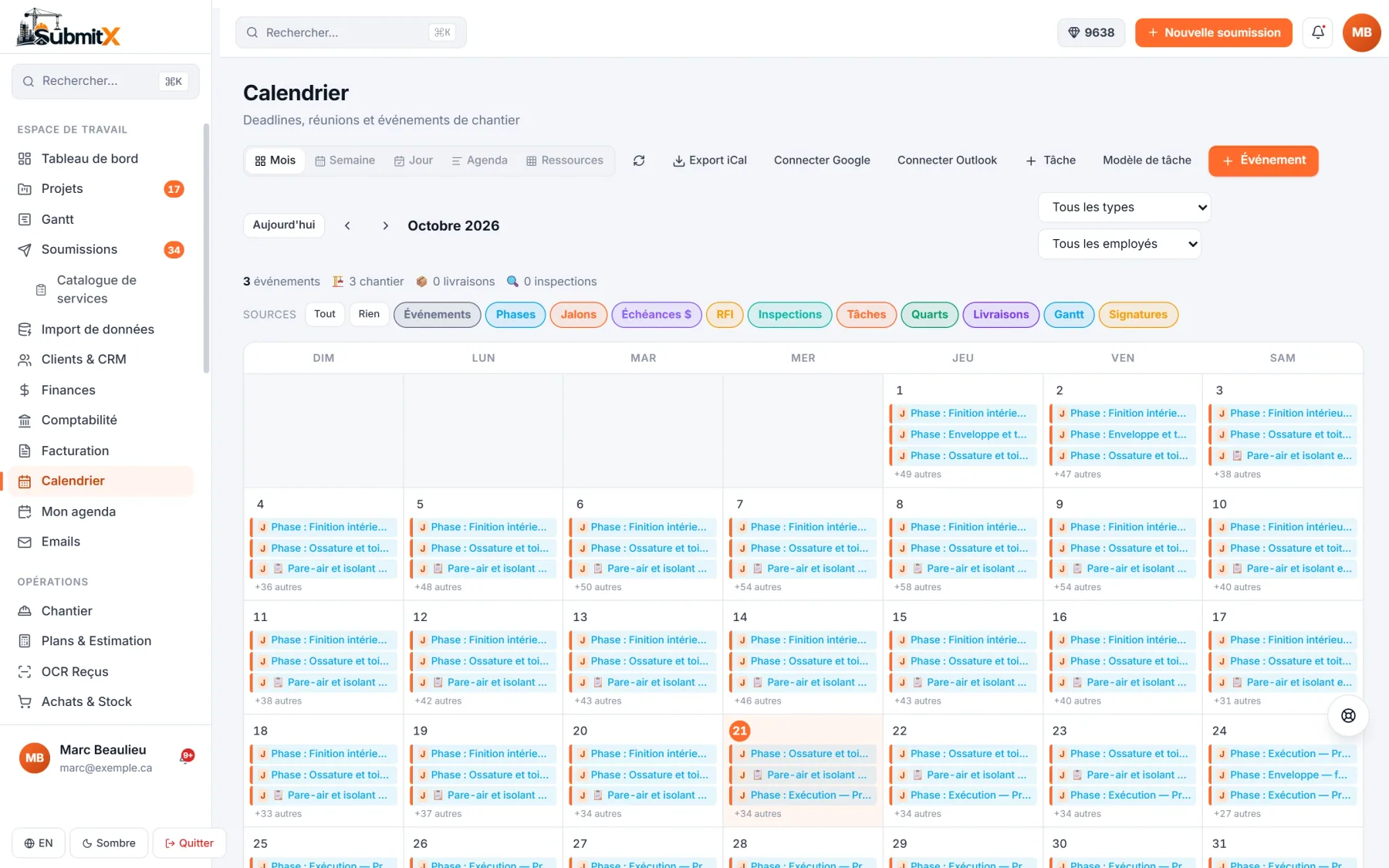
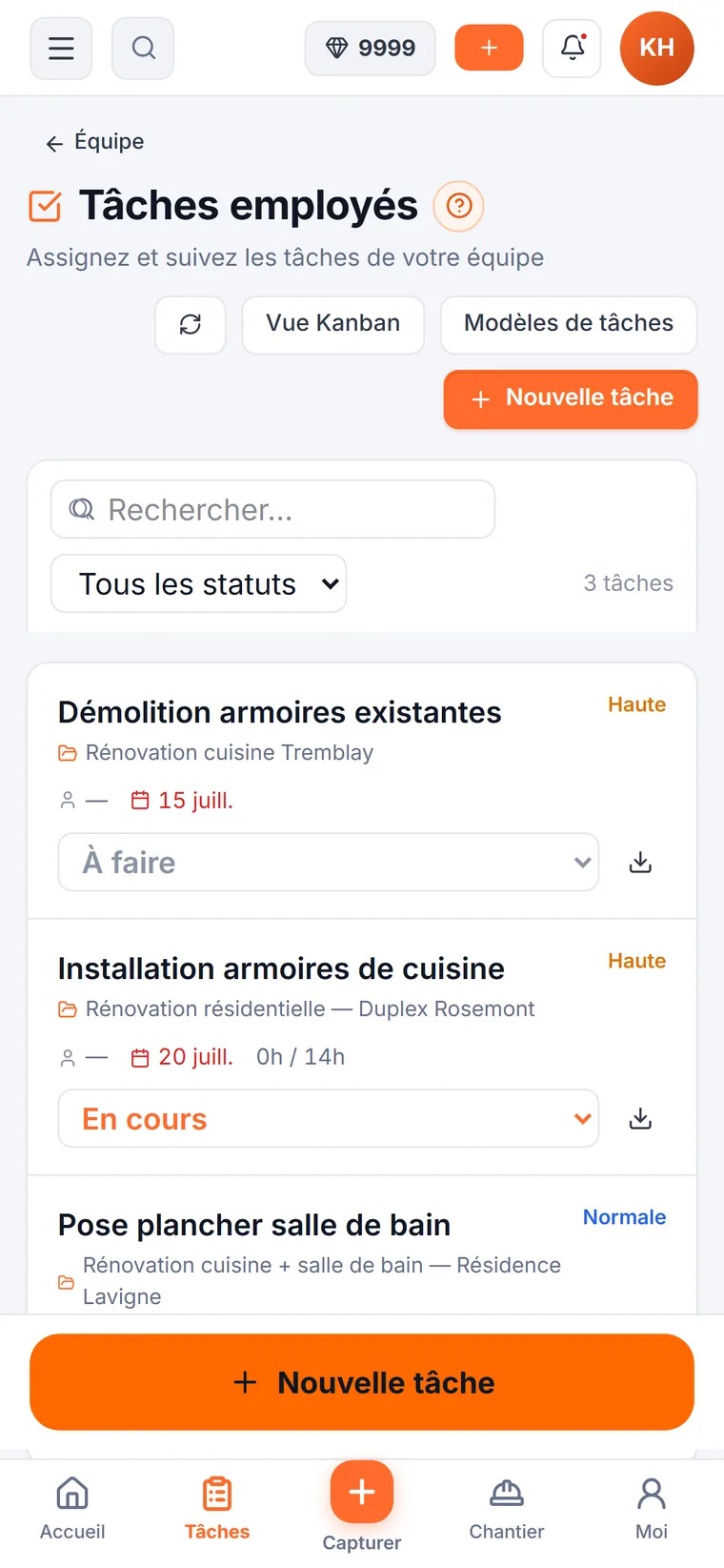
Eleven sources in a single calendar, and everyone's tasks on their phone.
What changes with two or three people
Everyone knows what to do tomorrow.
Calendar, tasks, hours and the client: four sources of misunderstanding, sorted in one place.
One calendar for the whole team
Appointments, tasks, shifts, expected deliveries and deadlines land in the same calendar. Drag a task to a new day, and the people involved are notified.
See the unified calendarCalendar · SubmitXThe team's month: one colour dot per type, the full day in one click.
Conflicts flagged
An appointment that overlaps another is flagged before it is confirmed.
Today's deliveries
Purchase orders expected that day show up on that day.
Job site weather
The weather for the days ahead at each job site, before you leave.
Everyone knows what to do tomorrow morning
Assign a task with its notes, photos and checklist. Your employee sees it in their schedule, marks it done or not done with a note, and you are notified.
See employee tasksTasks · SubmitX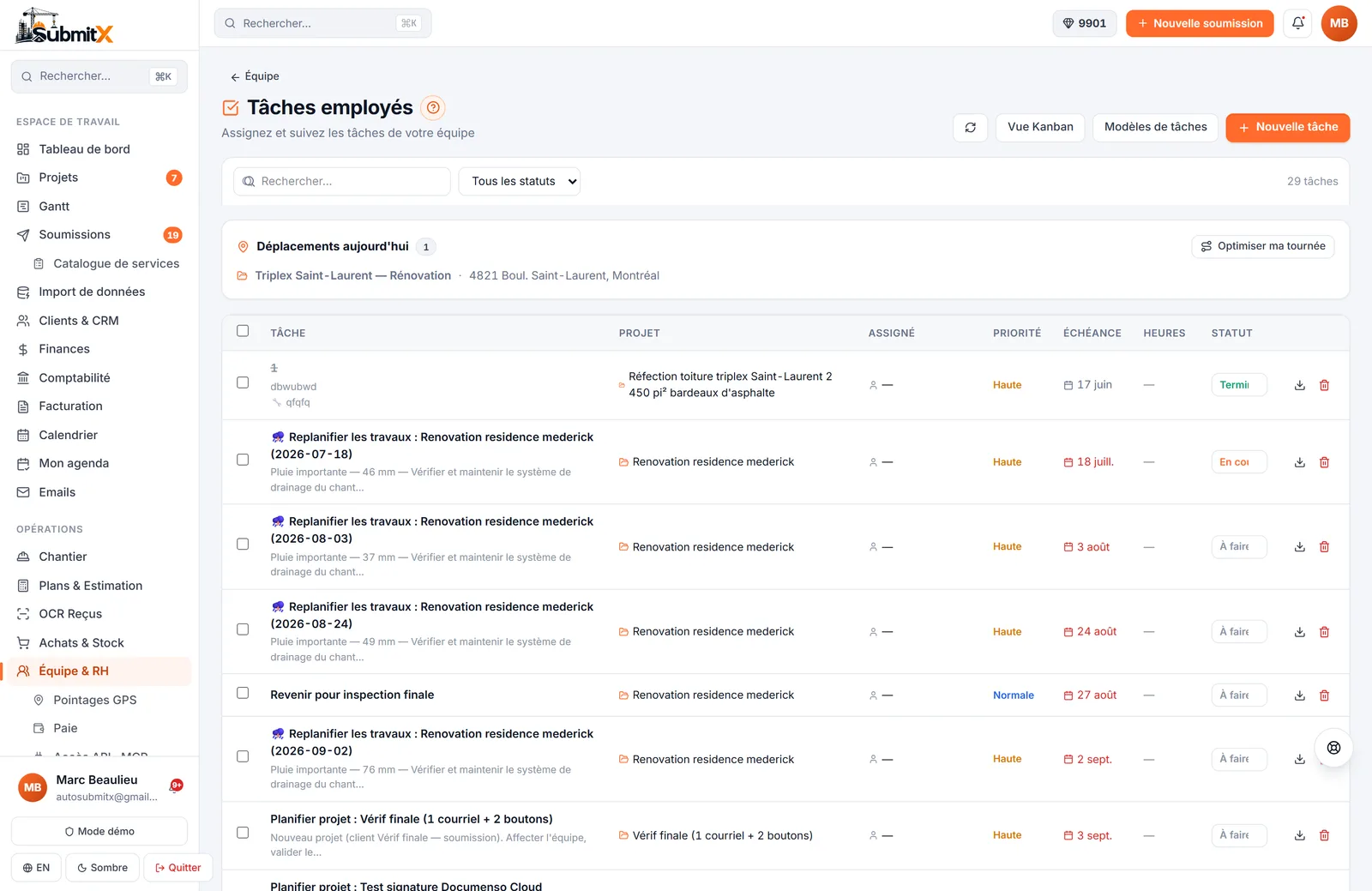
The crew's task list, with status, due date and project.
Done or not, with a note
The employee confirms the task and can add a note and a photo.
Photos on file
A photo taken for a task stays attached to that task.
Access per person
An employee sees their tasks and their hours, not your prices or margins.
Hours clocked on site
Clock in, clock out and breaks from the phone, with the location at the time of the punch. Timesheets fill themselves in, and you approve them at the end of the period.
See the GPS time clockWorkforce centre · SubmitX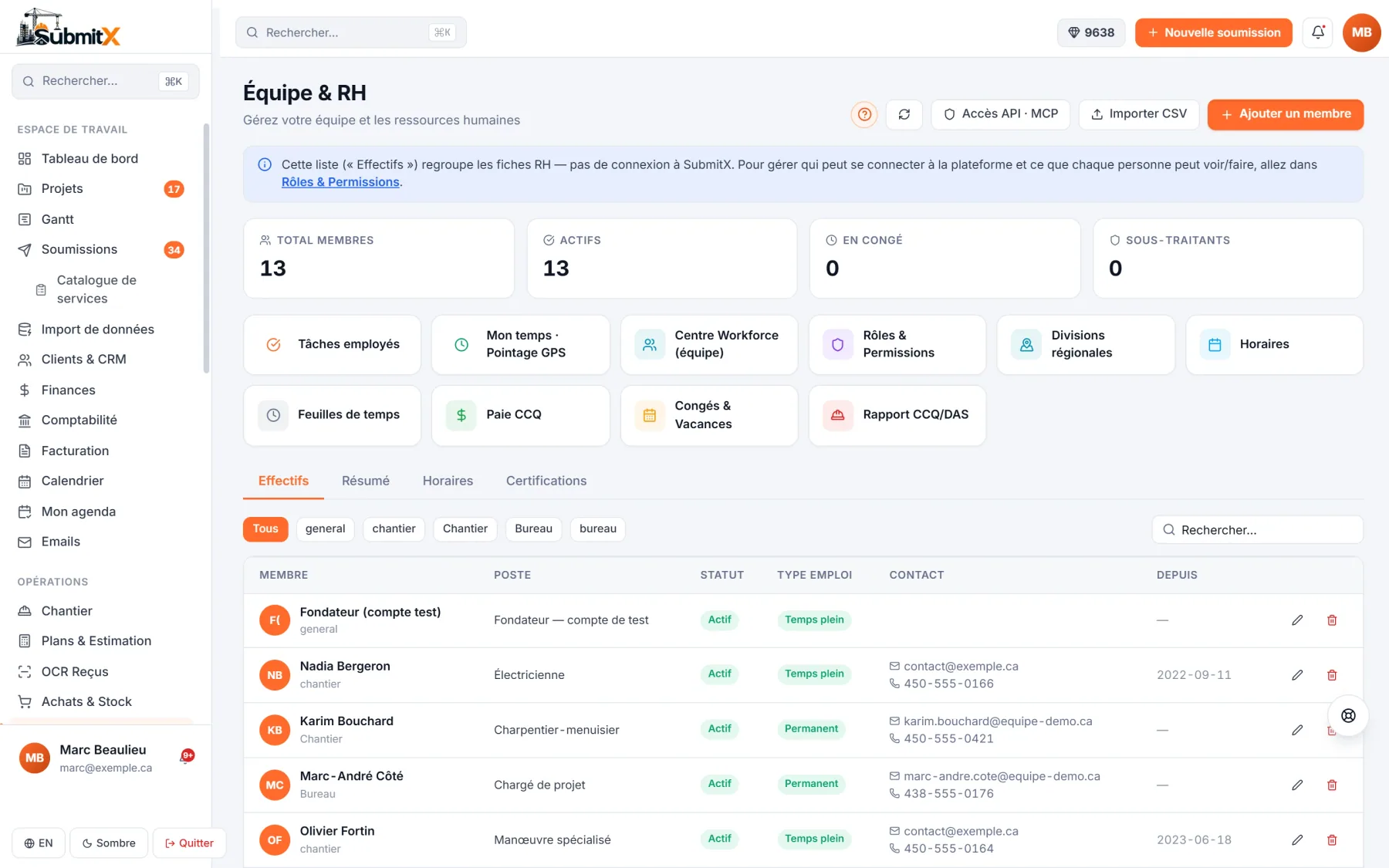
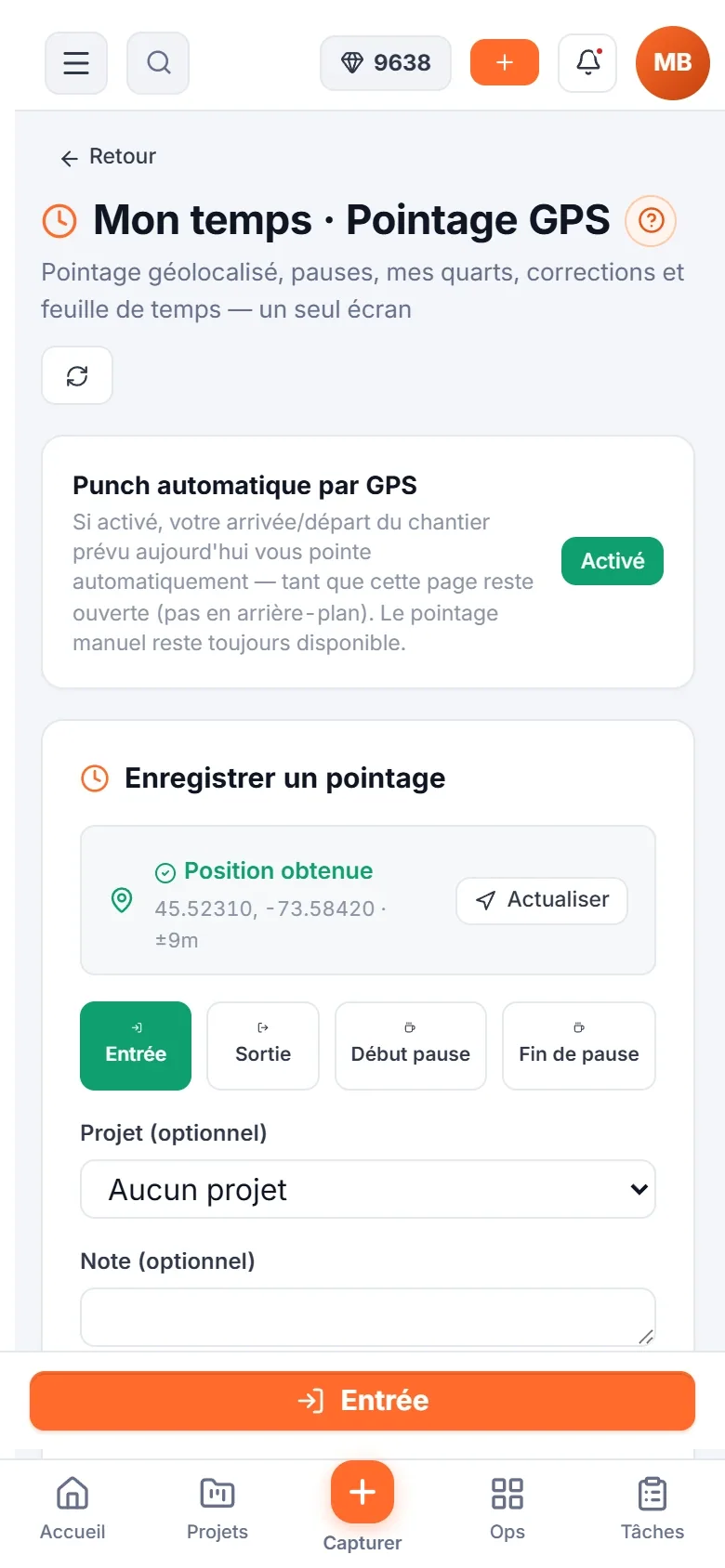
At the office: who is on shift and the timesheets. On the phone: in, out and breaks.
Job site zones
One zone per job site to know who is on site.
Forgotten shift flagged
A shift left open too long is flagged before it gets paid.
Exports for payroll
Hours per day and timesheets in Excel or CSV.
The client views, accepts and pays online
Your client gets a link: they read the bid, accept it by signing, then pay the invoice online. You know when they opened it.
See Invoicing and paymentsA bid · SubmitX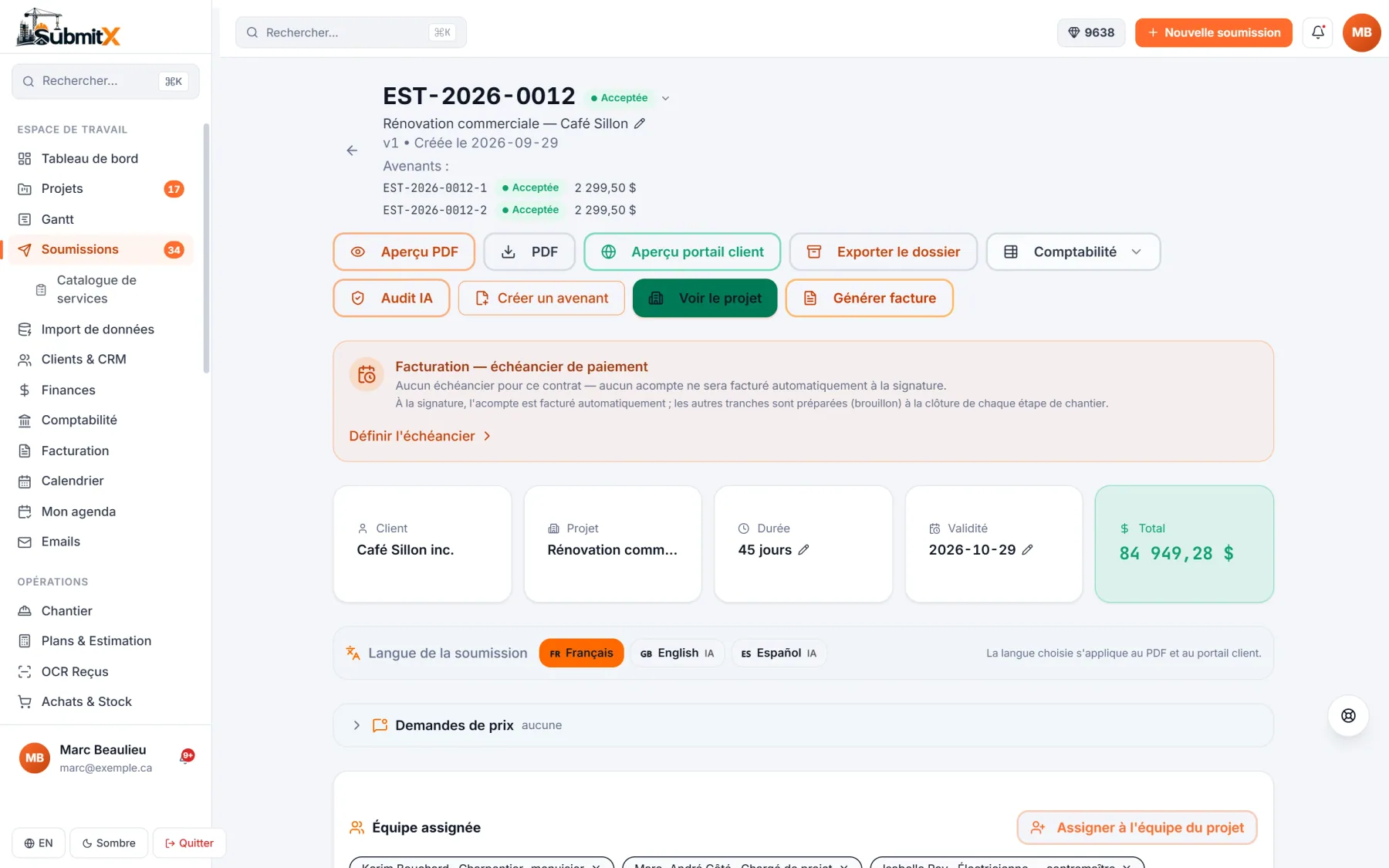
An accepted bid: client portal preview, change orders and invoice.
Signature with proof
The client's signature is filed with the accepted bid.
The invoice follows
The accepted bid becomes an invoice, in CAD or USD.
QuickBooks, Sage, Acomba
Your invoices flow to your accounting, included from the Starter plan.
Wherever you work
A small team, in Canada or the United States.
CAD or USD
Bids and invoices in the client's currency, at the Bank of Canada daily rate.
Everyone in their language
Each team member picks the app in English or French.
Quebec included
Official CCQ rates and RBQ licences for Quebec; your own rates elsewhere.
The right plan
One platform, four sizes.
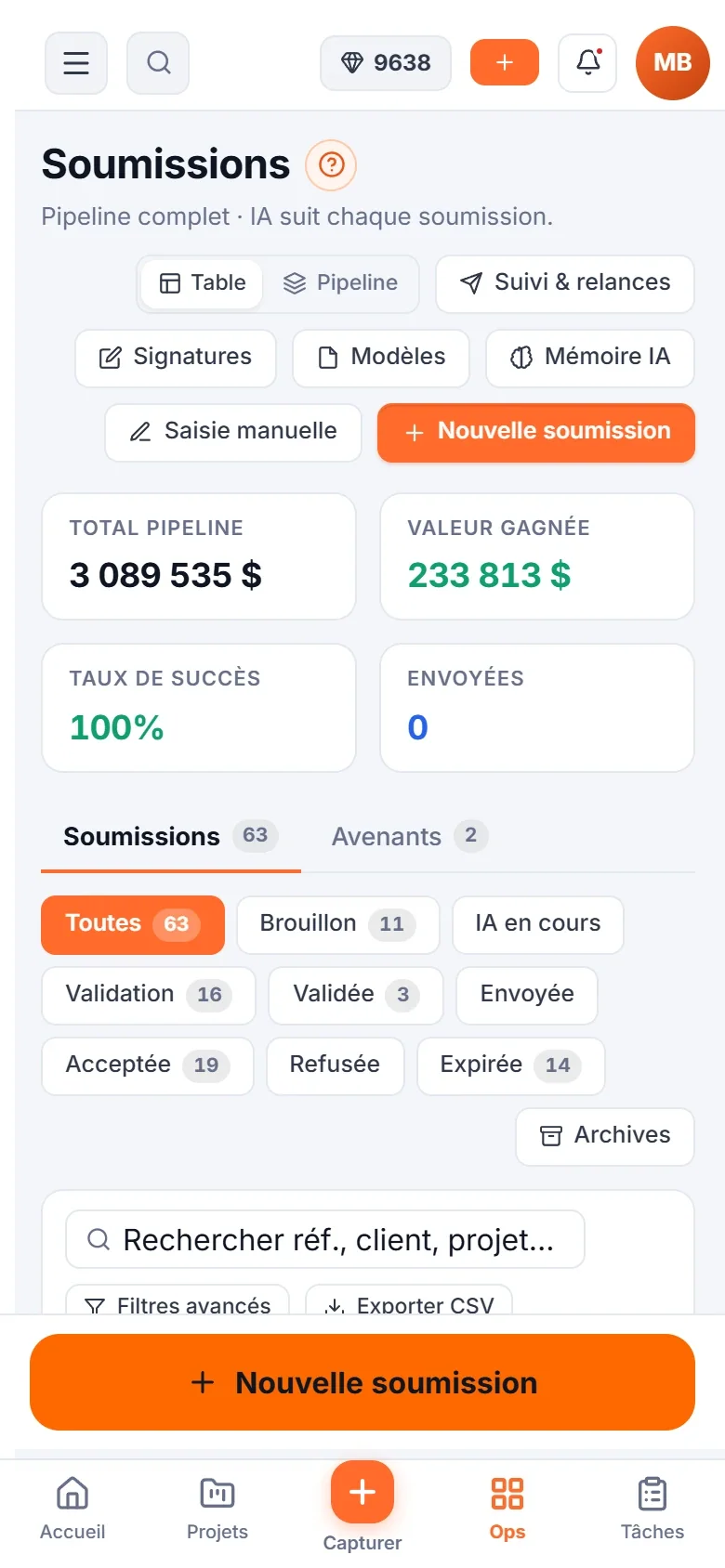
The Starter plan covers a team of 1 to 3 people. The day you run several job sites on a schedule, the Pro plan adds project management and Gantt.
Free
1 userUnlimited bids, CRM, mobile app, AI credits as you go.
See pricing RecommendedStarter
Up to 3 usersInvoicing, GPS time clock, accounting integrations, 100 AI credits a month.
See pricingPro
Up to 25 usersEvery module: projects, Gantt, payroll, AI plans and takeoff, 300 AI credits a month.
See pricingUltra
25+ usersOn quote: unlimited users, white label, custom integration, dedicated rollout.
Book a callPut the team on the same calendar this week.
Try SubmitX for 7 days, no credit card. Invite your two teammates and plan the week together.