Solutions · 3 to 25 users
Several crews, several job sites, one system.
Between the office, the foremen and the subcontractors, information gets lost fast. SubmitX connects the schedule, the crews, purchasing, change orders and payroll: everyone works from the same version, from the office to the job site.
Pro plan: every module, up to 25 users. 7-day trial, no card.
- 25users
- 39modules
- 300AI credits a month
- 7day trial, no card
 Gantt · SubmitX
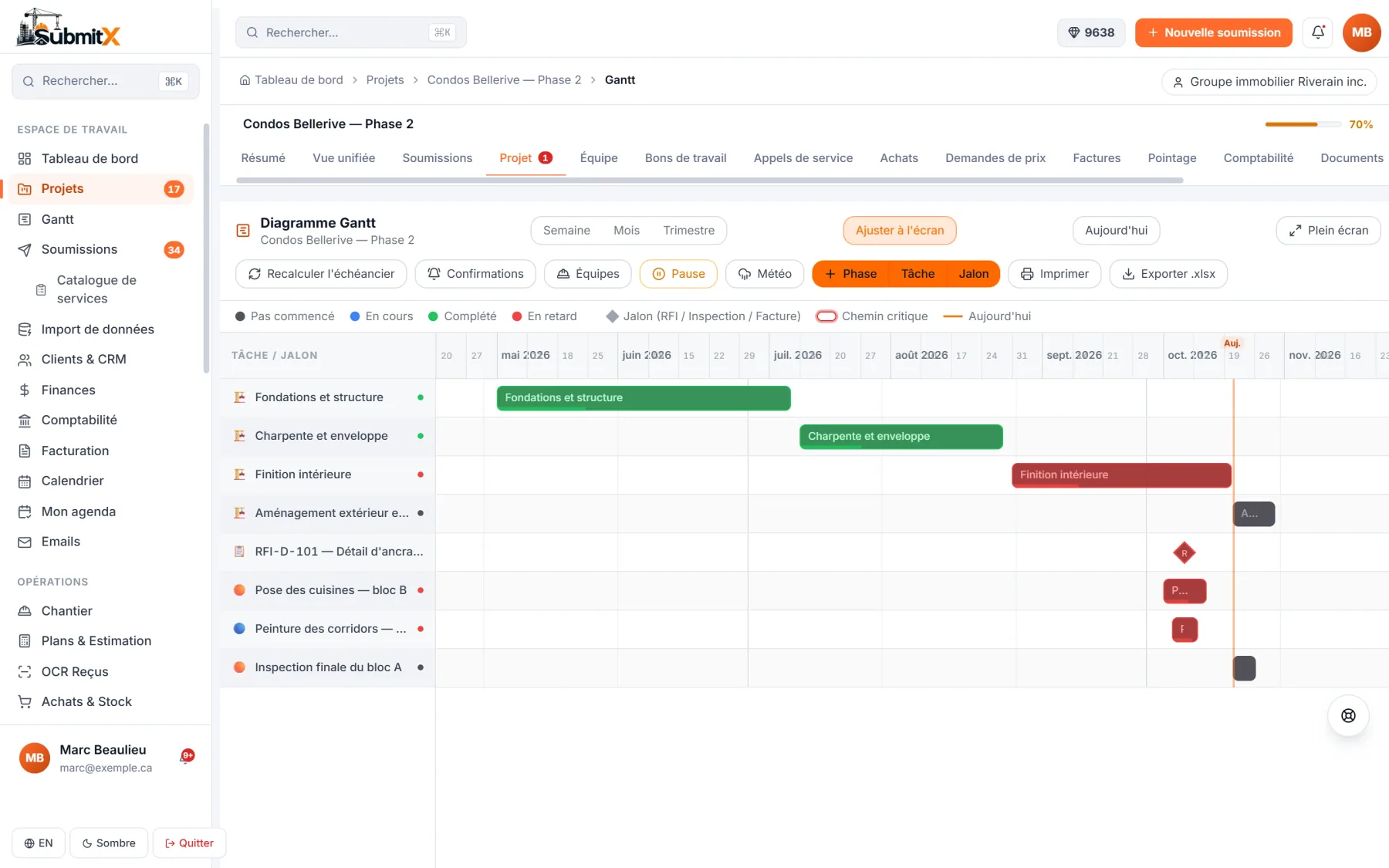
Your projects' Gantt, with subcontractor confirmations.
What changes as the team grows
Office and job site on the same version.
Four places where a 3 to 25 person company loses time and money, connected in one system.
A shared schedule
Gantt, phases and subcontractor confirmations.
See howCrews and foremen
Schedules, time clock, reports and deficiencies.
See howPurchasing and suppliers
Purchase orders, recorded prices, subcontractors.
See howChange orders, approvals, payroll
Every change tracked through to payroll.
See howA schedule your subcontractors confirm
Projects, phases and tasks in a Gantt connected to the job site. Link a subcontractor or a crew to a phase: they get a link, confirm their dates, and you see the answer in real time.
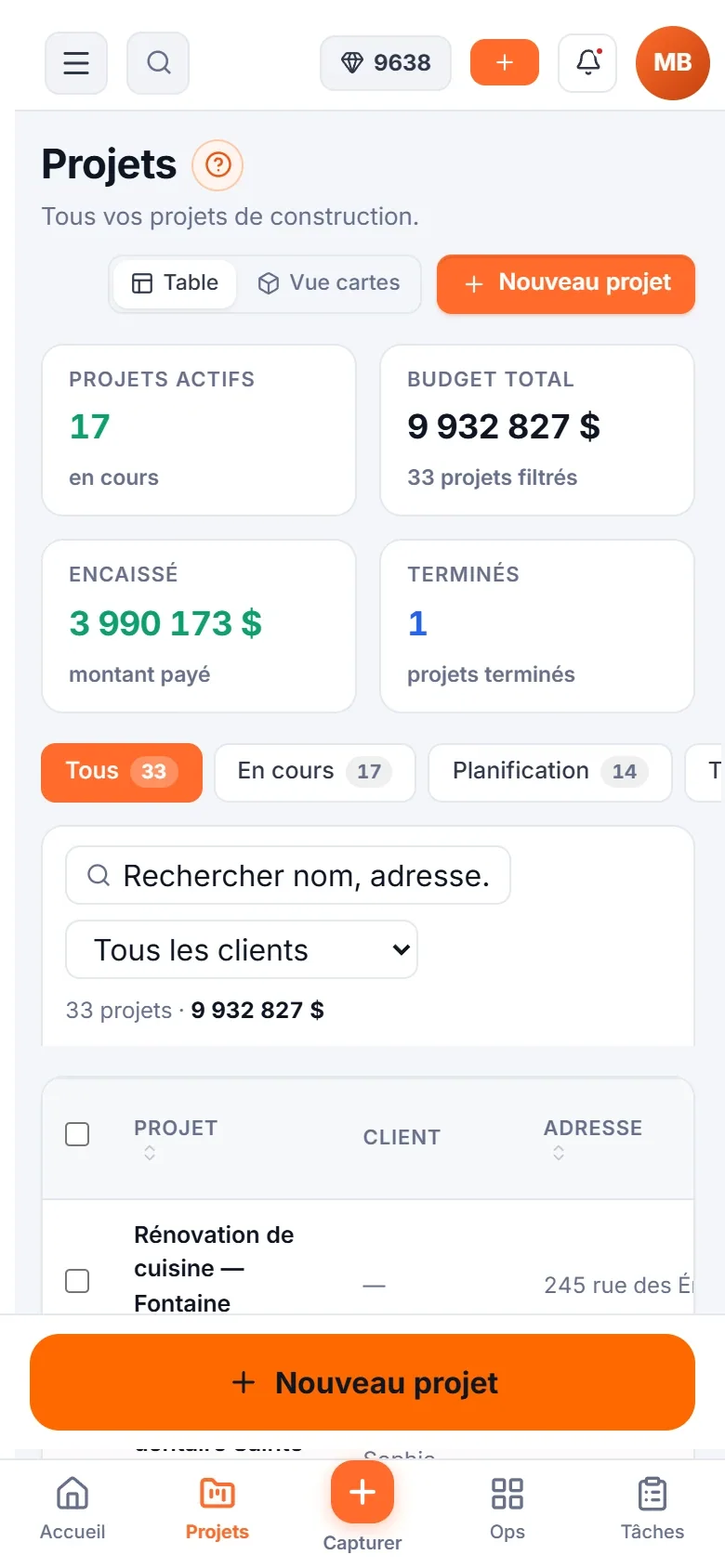
See Gantt and schedulesGantt · SubmitXThe Gantt and subcontractor confirmations, on the computer and on the phone.
Crews, not just names
Group your people into crews and assign the whole crew to a phase.
Documents in the project
Plans, specs and photos sorted by category in each project.
RFIs and work orders
Questions, answers and work orders tracked to the end.
Foremen run their job site from the phone
Weekly schedules, GPS time clock, daily reports, deficiencies and photos: the foreman does it all from the app, and the office sees who is on shift and where each job stands.
See schedules and timesheetsSchedules · SubmitX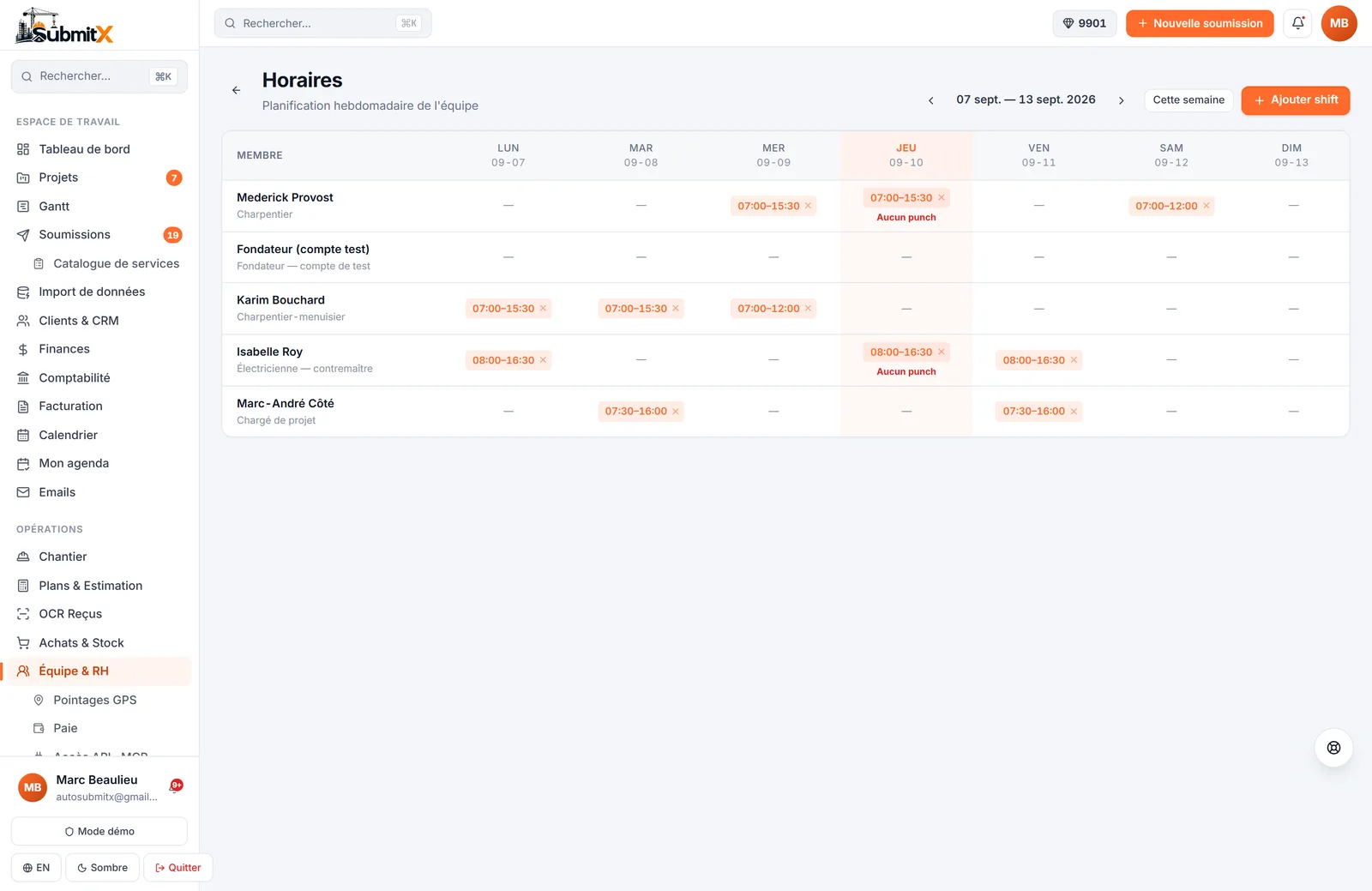
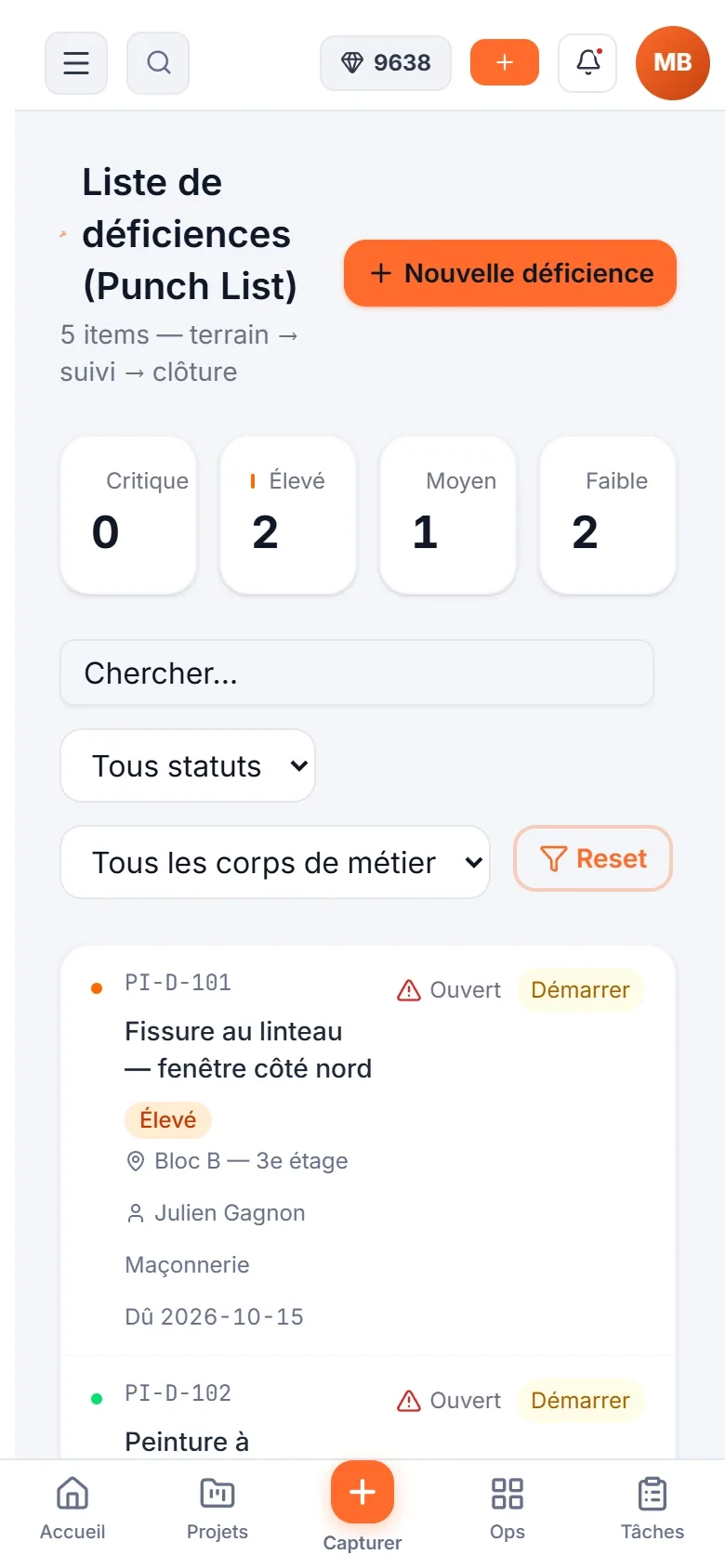
The crew's week: one shift per member per day. On the phone: the job site deficiencies.
Schedule templates
Save a typical week and apply it to the next ones, without overwriting an edited shift.
Automatic timesheets
Submitted at the end of each period, then approved by you.
Deficiencies and reports
Every deficiency with its photo and owner, every day with its report.
Purchasing that follows the job
Numbered purchase orders, receiving, supplier prices and subcontractors in one place. The Supplier Hub compares the prices you actually recorded, with their date and source.
See Purchasing, stock and equipmentPurchasing · SubmitX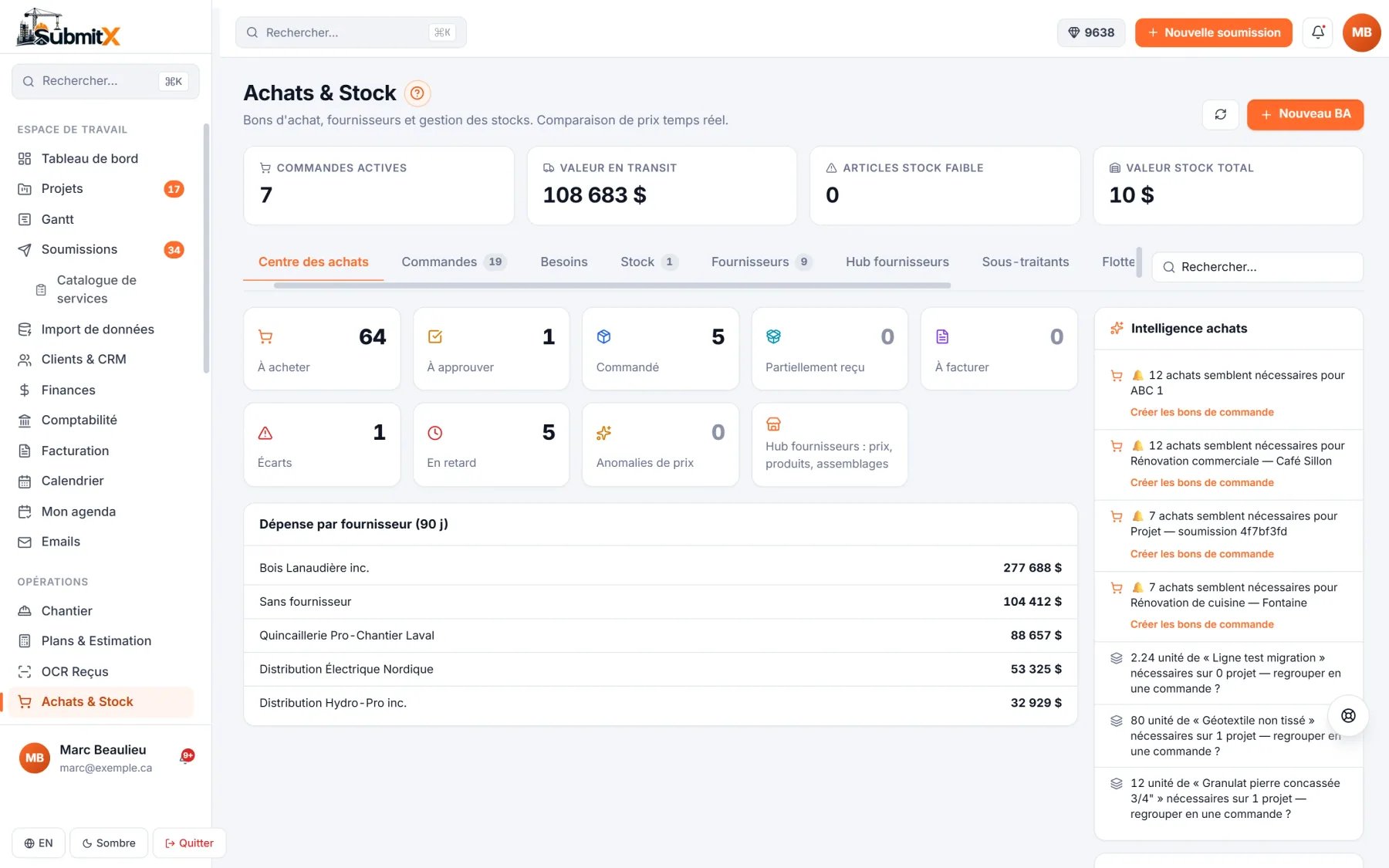
Purchase orders, receiving and purchasing insights.
Compare before you buy
The best price per unit, without mixing a box with a single piece.
Subcontractors on file
Licence, insurance and contracts for each subcontractor, with an alert before expiry.
Real costs in the budget
The supplier invoice matched to the purchase order feeds the project budget.
Change orders, approvals and payroll, with no retyping
A contract change becomes an approved change order, then an invoice. Requests go through your approvals. Approved hours feed payroll: based on the official CCQ grids in Quebec, or as a file for Gusto or ADP in the United States.
See Crew, HR and payrollCrew and HR · SubmitX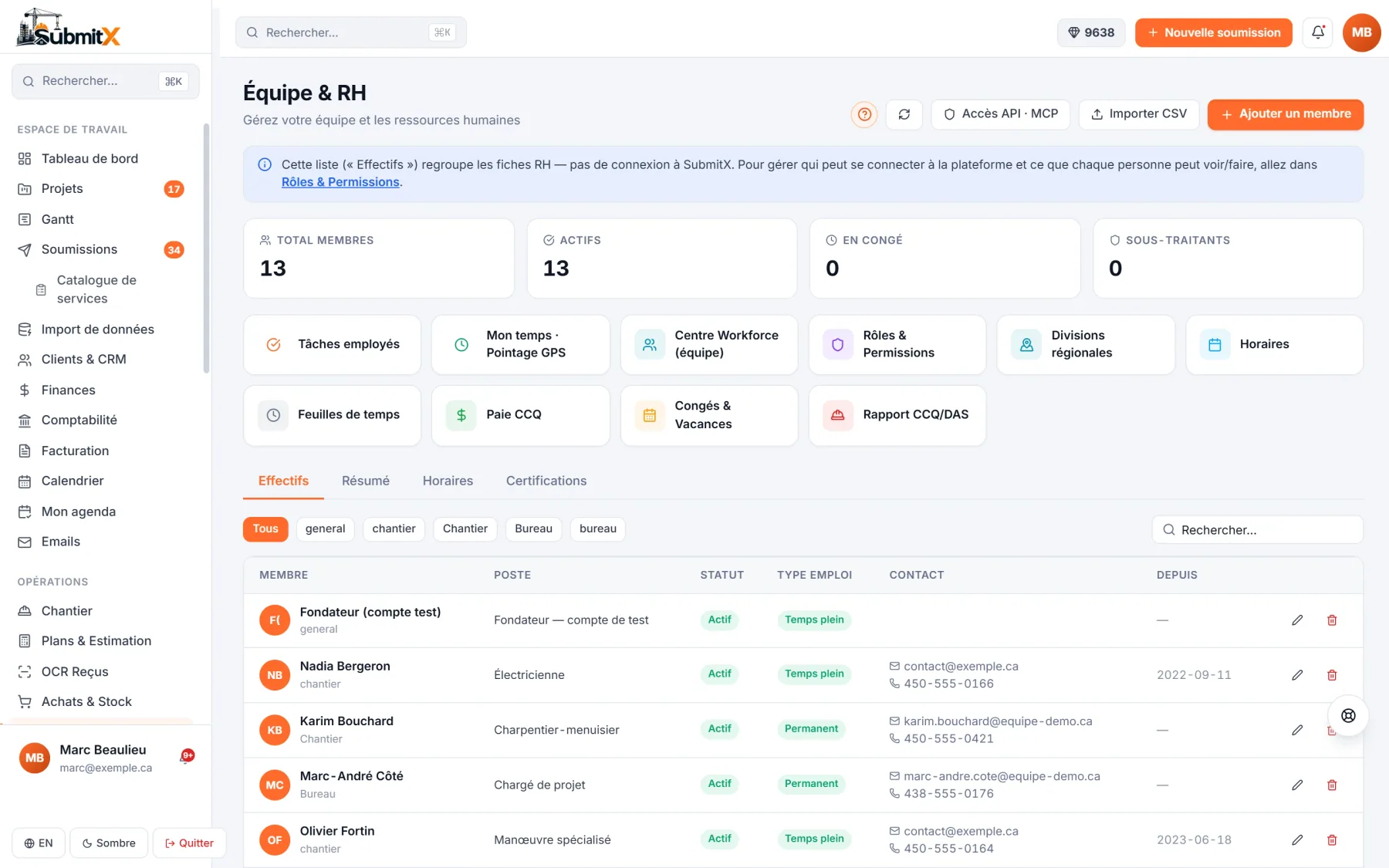
Crew, HR and payroll, with the CCQ payroll preview in Quebec.
Approved change orders
Every change order is approved before it is invoiced, with its trail on file.
Approval flows
Requested, approved, delegated or escalated: every decision is logged.
CCQ, Gusto or ADP
CCQ payroll preview in Quebec, approved-hours file for Gusto or ADP in the United States.
Wherever you work
Job sites in Canada and the United States.
Licences and insurance by jurisdiction
The compliance register tracks your credentials province by province and state by state, with an alert before they expire.
Every employee in their language
The app in English or French, as each person prefers.
Your accounting
QuickBooks, Sage and Acomba, and invoices in CAD or USD.
The right plan
One platform, four sizes.
The Pro plan includes every module for up to 25 users. Beyond that, the Ultra plan is built on a quote with you.
Free
1 userUnlimited bids, CRM, mobile app, AI credits as you go.
See pricingStarter
Up to 3 usersInvoicing, GPS time clock, accounting integrations, 100 AI credits a month.
See pricing RecommendedPro
Up to 25 usersEvery module: projects, Gantt, payroll, AI plans and takeoff, 300 AI credits a month.
See pricingUltra
25+ usersOn quote: unlimited users, white label, custom integration, dedicated rollout.
Book a callPut your crews on the same version of the job.
Try the Pro plan for 7 days, no credit card, or book a demo with the SubmitX team.